

Effective IT asset management is crucial for modern businesses seeking to optimize technology resources, control costs, and ensure security. As organizations grow, tracking and managing hardware, software, and digital assets can become complex. Implementing the right asset IT management software simplifies these tasks, providing a centralized system for monitoring, maintaining, and optimizing IT assets.
This guide explores the key features to look for in asset IT management software, benefits of IT asset management, and best practices for successful implementation, helping businesses make informed decisions about their technology investments.

Why IT asset management is essential for businesses
IT asset management is a strategic approach to tracking and managing all hardware and software assets throughout their lifecycle. Proper IT asset management helps businesses:
- Optimize technology spending and reduce unnecessary costs
- Track software licenses to maintain compliance and avoid penalties
- Minimize security risks by identifying outdated or vulnerable assets
- Improve operational efficiency with centralized visibility
- Plan and forecast IT resource needs accurately
Without structured IT asset management, organizations may face data inconsistencies, compliance issues, and increased operational risk.
Key features of asset IT management software
Choosing the right asset IT management software requires understanding the features that support efficient tracking, monitoring, and management of IT assets.
Centralized asset tracking
A core feature of asset IT management software is centralized tracking of all IT resources, including servers, laptops, mobile devices, software licenses, and cloud subscriptions. This ensures IT teams have real-time visibility into all assets, reducing the risk of misplaced or underutilized resources.
Lifecycle management
Asset IT management software helps manage assets from procurement to retirement. Features like automated maintenance reminders, warranty tracking, and disposal management ensure assets are used efficiently and retired responsibly.
Software license management
Many businesses struggle with software compliance. Asset IT management software provides tools to track license usage, avoid over-licensing, and ensure adherence to vendor agreements, reducing legal and financial risk.
Automated reporting and analytics
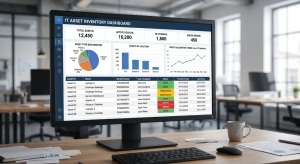
Advanced asset IT management software includes reporting dashboards and analytics that provide insights into asset performance, utilization, and trends. These insights help IT managers make informed decisions and optimize resource allocation.

Integration with other IT systems
Modern IT environments rely on multiple tools and platforms. The best asset IT management software integrates with existing IT systems, including helpdesk solutions, network monitoring tools, and procurement systems, creating a seamless workflow.
Benefits of implementing IT asset management
Implementing robust IT asset management through software provides tangible benefits to businesses, including:
Cost optimization
By tracking asset usage, IT teams can identify underutilized hardware or software and make informed purchasing decisions. Asset IT management software helps organizations reduce wasteful spending and allocate resources more effectively.
Enhanced security
IT asset management ensures that devices and software are up-to-date with security patches and compliant with internal policies. This reduces vulnerabilities and mitigates risks associated with outdated or unsecured assets.
Compliance and audit readiness
Regulatory compliance is a growing concern across industries. IT asset management software helps businesses maintain accurate records, track software licenses, and prepare for audits, reducing the risk of fines or penalties.
Operational efficiency
Centralized visibility, automated processes, and real-time reporting streamline IT workflows. IT teams spend less time manually tracking assets, freeing resources for strategic projects that drive business growth.
How to choose the right asset IT management software
Selecting the right software requires careful consideration of your organization’s unique needs and IT environment.
Assess the current IT environment
Start by evaluating existing IT assets, workflows, and challenges. Identify gaps in tracking, reporting, or compliance that the software should address.
Define key requirements
Determine the essential features your business needs in asset IT management software. This could include license tracking, mobile device management, cloud asset monitoring, or integration capabilities with other IT tools.
Evaluate scalability and flexibility
As businesses grow, IT needs evolve. Choose asset IT management software that can scale with your organization and adapt to changing requirements without requiring major system overhauls.
Consider user experience
A user-friendly interface ensures your IT team and stakeholders can adopt the system quickly. Complex or unintuitive software can hinder implementation and reduce overall effectiveness.
Check vendor support and updates
Reliable vendor support, regular updates, and clear documentation are critical. These factors ensure that the software remains secure, compatible with evolving technologies, and aligned with best practices.

Best practices for implementing IT asset management software
Adopting asset IT management software requires more than installation; businesses should follow best practices to ensure a smooth rollout and continued success.
Develop an implementation plan
Create a structured plan that defines goals, timelines, and responsibilities. Include steps for asset discovery, data migration, staff training, and testing to minimize disruption.
Conduct an initial asset inventory
Before fully implementing the software, conduct a thorough inventory of all IT assets. This ensures accurate data entry and avoids discrepancies in the system.
Train staff and establish protocols
Provide comprehensive training for IT teams and relevant employees. Establish clear protocols for asset addition, removal, and updates to maintain data integrity.
Monitor and refine processes
Regularly review asset IT management software performance, adoption, and reporting accuracy. Refine processes to address inefficiencies and improve overall asset visibility.
Establish a maintenance schedule
Ongoing asset management requires consistent maintenance, including software updates, hardware checks, and audit preparation. The software should support automated reminders and notifications for key maintenance tasks.
Common challenges in IT asset management
While asset IT management software simplifies tracking, businesses may encounter challenges such as:
- Data inaccuracies due to incomplete asset records
- Resistance to adopting new software from the IT staff or other employees
- Integration difficulties with legacy IT systems
- Difficulty tracking cloud-based or remote assets
Addressing these challenges requires clear planning, proper training, and selecting software that aligns with existing IT infrastructure and business objectives.
Final thoughts
Effective IT asset management is critical for organizations seeking to optimize resources, improve security, and maintain compliance. Implementing the right asset IT management software provides centralized visibility, automated workflows, and actionable insights to streamline operations.
By carefully evaluating your IT environment, defining requirements, and following best practices, businesses can successfully implement asset IT management software to reduce costs, enhance security, and improve operational efficiency. Proper IT asset management ensures that every hardware and software investment contributes to long-term business growth and stability.

FAQs
What is IT asset management?
IT asset management is the process of tracking and managing all IT assets, including hardware, software, and digital resources, throughout their lifecycle to optimize usage, reduce costs, and ensure compliance.
What is asset IT management software?
Asset IT management software is a tool that helps businesses monitor, manage, and optimize IT assets. Features may include centralized tracking, lifecycle management, license monitoring, reporting, and integration with other IT systems.
Why is IT asset management important?
IT asset management helps organizations improve efficiency, reduce operational costs, maintain compliance with software licenses, and enhance security by ensuring all assets are properly tracked and maintained.
How do I choose the right asset IT management software?
To choose the right software, assess your current IT environment, define key requirements, evaluate scalability and user experience, and consider vendor support. Selecting software that aligns with business goals ensures a successful implementation.